
Teacher Apprecaition Potluck
Let’s show our amazing teachers and staff how much we appreciate all they do! The PTO is organizing a Teacher Appreciation Potluck Dinner, and we’d love your help! If you’re able, please consider volunteering to bring a dish to share, or to help serve. Every contribution helps make this a special evening for our Nauset staff!
Thursday, October 29th
5:00 pm - 5:45 pm
Please sign up using our SignUpGenius link below. Thank you for supporting our teachers and making them feel appreciated!
Teacher Banquet Sign up Genius

The NRMS Newsletter for October 16 is now available. https://app.smore.com/n/jhk7q Check out the Fall Social and Parent Conferences Info.


🍽🥪🥗CELEBRATING NATIONAL SCHOOL LUNCH WEEK:
Happy National School Lunch Week! 🍅🥙
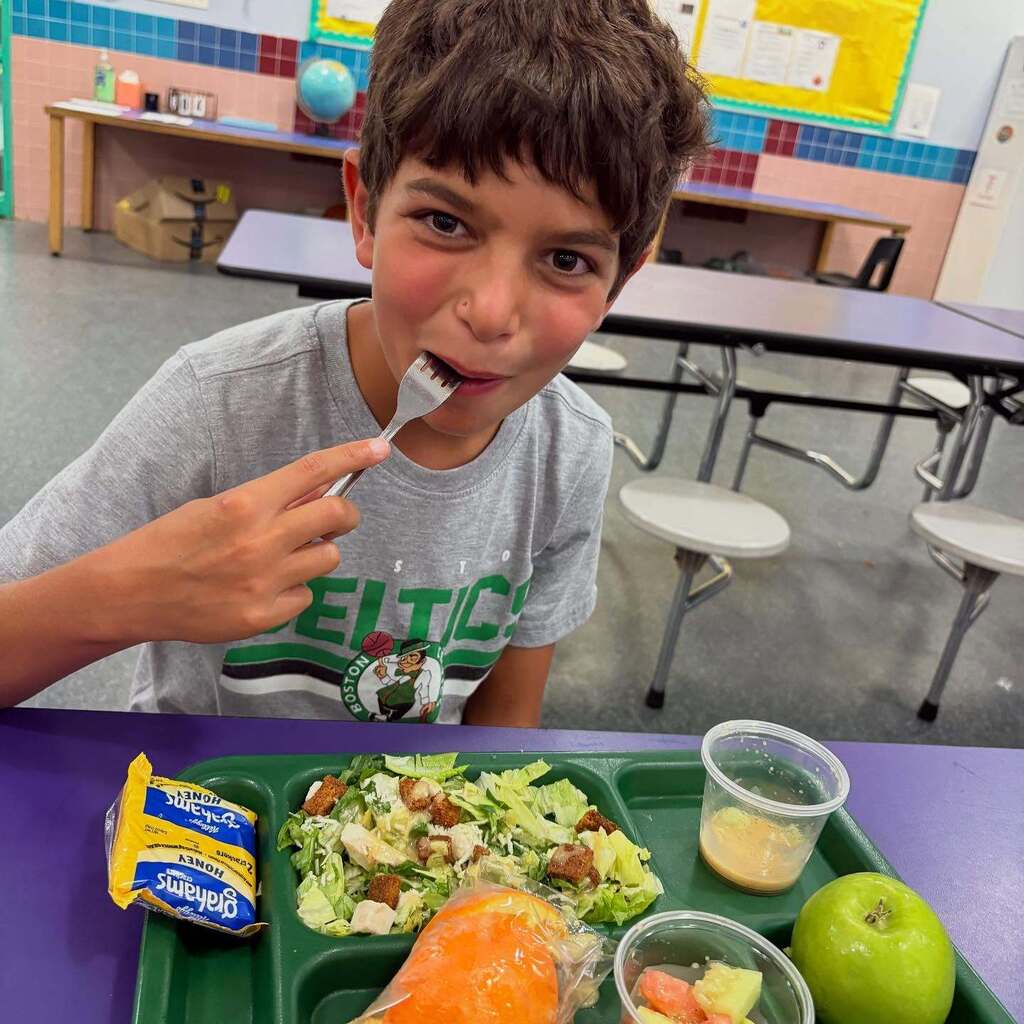
School lunches help keep our students healthy, full, and fueled to learn. As a participant in the Massachusetts Farm to School initiative, school lunches across our Nauset schools often feature locally grown, raised, or caught fruits, vegetables, grains, and proteins. Many meals also include fresh vegetables grown right in our schools' own hydroponic towers, greenhouses, and outdoor gardens. 🌱🍗🐄
Thank you to our food services and nutrition teams who make sure that the lunches served in Nauset cafeterias are nutritious and delicious! 💛🍏🖤
#NationalFarmtoSchoolMonth #NationalSchoolLunchWeek #MassFarmtoSchool
Happy National School Lunch Week! 🍅🥙
School lunches help keep our students healthy, full, and fueled to learn. As a participant in the Massachusetts Farm to School initiative, school lunches across our Nauset schools often feature locally grown, raised, or caught fruits, vegetables, grains, and proteins. Many meals also include fresh vegetables grown right in our schools' own hydroponic towers, greenhouses, and outdoor gardens. 🌱🍗🐄
Thank you to our food services and nutrition teams who make sure that the lunches served in Nauset cafeterias are nutritious and delicious! 💛🍏🖤
#NationalFarmtoSchoolMonth #NationalSchoolLunchWeek #MassFarmtoSchool
Please join us for our PTO Meeting, tonight!
Wednesday, October 14th at 6:00 PM
Middle School Library (Please enter thru the front door)
Come hear what’s happening in our schools and find out how you can get involved!
On the agenda:
Q&A with Superintendent Glenn Brand - POSTPONED to a later date
This year’s events & volunteer opportunities
NYC trip update
Wreath fundraiser update
Bring your questions, ideas, and enthusiasm! Hope to see you there!
🏫📘💭PROFESSIONAL DEVELOPMENT DAY AT NPS:
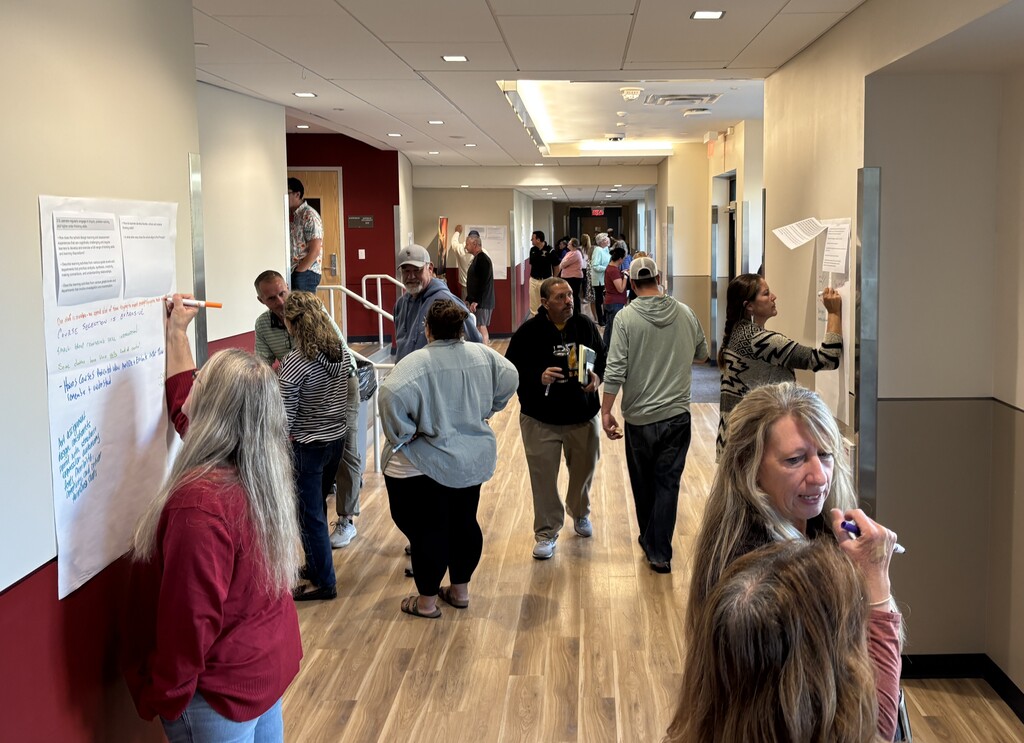
From workshops on practice-based instruction and curriculum design to effective co-teaching to teaching with purpose - and more! - learning spaces at Nauset Regional High School and Nauset Regional Middle School were buzzing with staff collaboration during our recent professional development day! 💡✏️🧠
Thank you to our educators, session hosts, and Assistant Superintendent of Teaching and Learning for a fabulous day of continuing education. 👥👨🏫
The NRMS Newsletter for 10.9.26 is now available. https://app.smore.com/n/52bew Please sign up for conferences.

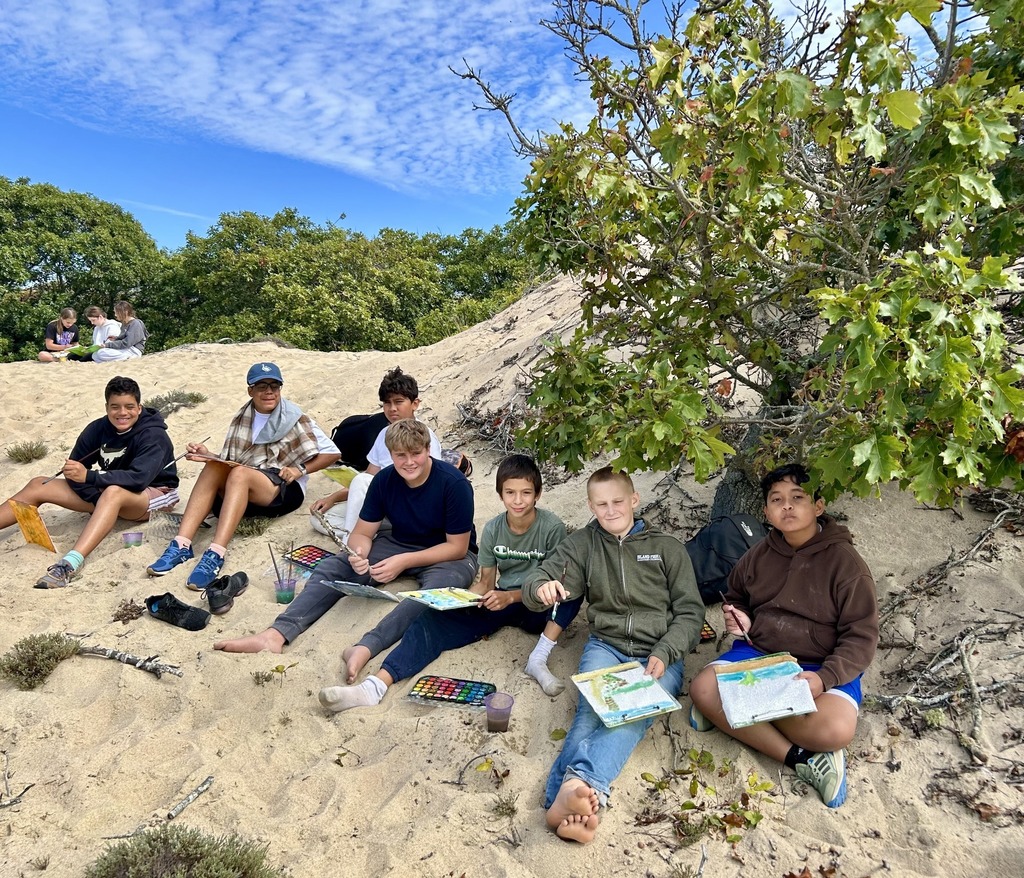
🎨🐚☀️NRMS STUDENTS EXPLORE THE DUNES:
Seventh graders at Nauset Regional Middle School spent a sunny day along the Cape Cod National Seashore exploring the Dune Shacks of Peaked Hill Bars Historic District! 🌊
They trekked through the dunes, visited the Zara dune shack, and created beautiful paintings inspired their surroundings, just like the many artists, writers, and musicians who have created art in the dunes over the last century. 🖌
Seventh graders at Nauset Regional Middle School spent a sunny day along the Cape Cod National Seashore exploring the Dune Shacks of Peaked Hill Bars Historic District! 🌊
They trekked through the dunes, visited the Zara dune shack, and created beautiful paintings inspired their surroundings, just like the many artists, writers, and musicians who have created art in the dunes over the last century. 🖌
🏌⚽🏈CELEBRATING NATIONAL COACHES DAY🏅🏐🏒:
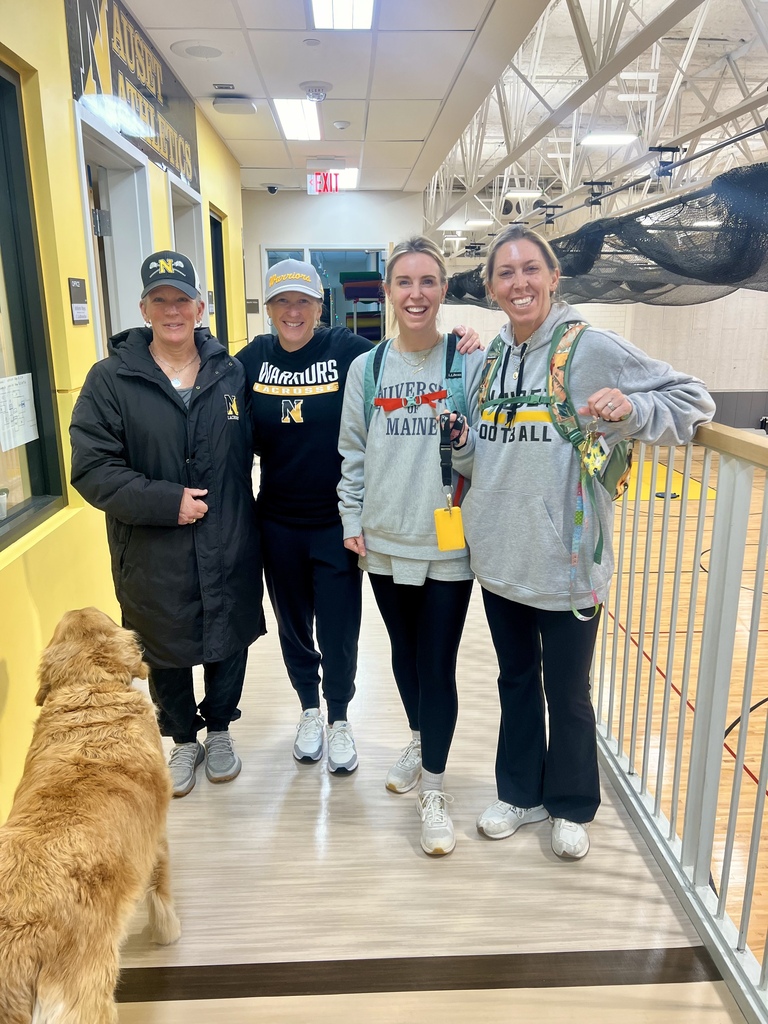
Today, October 6, is National Coaches Day! Our Nauset schools are fortunate to have many coaches who mentor, motivate, and make a difference in our students' lives.
Join us in celebrating #NationalCoachesDay by cheering on our Warriors who are playing games at home this afternoon!
🏑Nauset Regional Middle School girls field hockey plays Falmouth @ NRMS (4:00 PM)
🏐Nauset Regional Middle School girls volleyball plays Falmouth @ NRMS (4:00 PM)
⚽Nauset Regional High School girls varsity soccer plays SJPII @ NRHS (4:00 PM)
⚽Nauset Regional High School girls JV soccer plays SJPII @ NRHS (5:30 PM)
Keep up with Nauset athletics: https://www.gobound.com/ma/schools/nausetregional
Today, October 6, is National Coaches Day! Our Nauset schools are fortunate to have many coaches who mentor, motivate, and make a difference in our students' lives.
Join us in celebrating #NationalCoachesDay by cheering on our Warriors who are playing games at home this afternoon!
🏑Nauset Regional Middle School girls field hockey plays Falmouth @ NRMS (4:00 PM)
🏐Nauset Regional Middle School girls volleyball plays Falmouth @ NRMS (4:00 PM)
⚽Nauset Regional High School girls varsity soccer plays SJPII @ NRHS (4:00 PM)
⚽Nauset Regional High School girls JV soccer plays SJPII @ NRHS (5:30 PM)
Keep up with Nauset athletics: https://www.gobound.com/ma/schools/nausetregional
🏫👩🏫🌎CELEBRATING WORLD TEACHER'S DAY:
Today, October 5, is World Teacher's Day which honors educators and the teaching profession worldwide! 🎉
Educators across our Nauset Public Schools empower, challenge, and inspire our students to be and do their best every day. Join us in celebrating World Teacher's Day by thanking a teacher who has shaped your life! 🙏💛
Today, October 5, is World Teacher's Day which honors educators and the teaching profession worldwide! 🎉
Educators across our Nauset Public Schools empower, challenge, and inspire our students to be and do their best every day. Join us in celebrating World Teacher's Day by thanking a teacher who has shaped your life! 🙏💛
📖💡🌍NRMS EDUCATOR'S SUMMER FELLOWSHIP FLASHBACK FRIDAY:
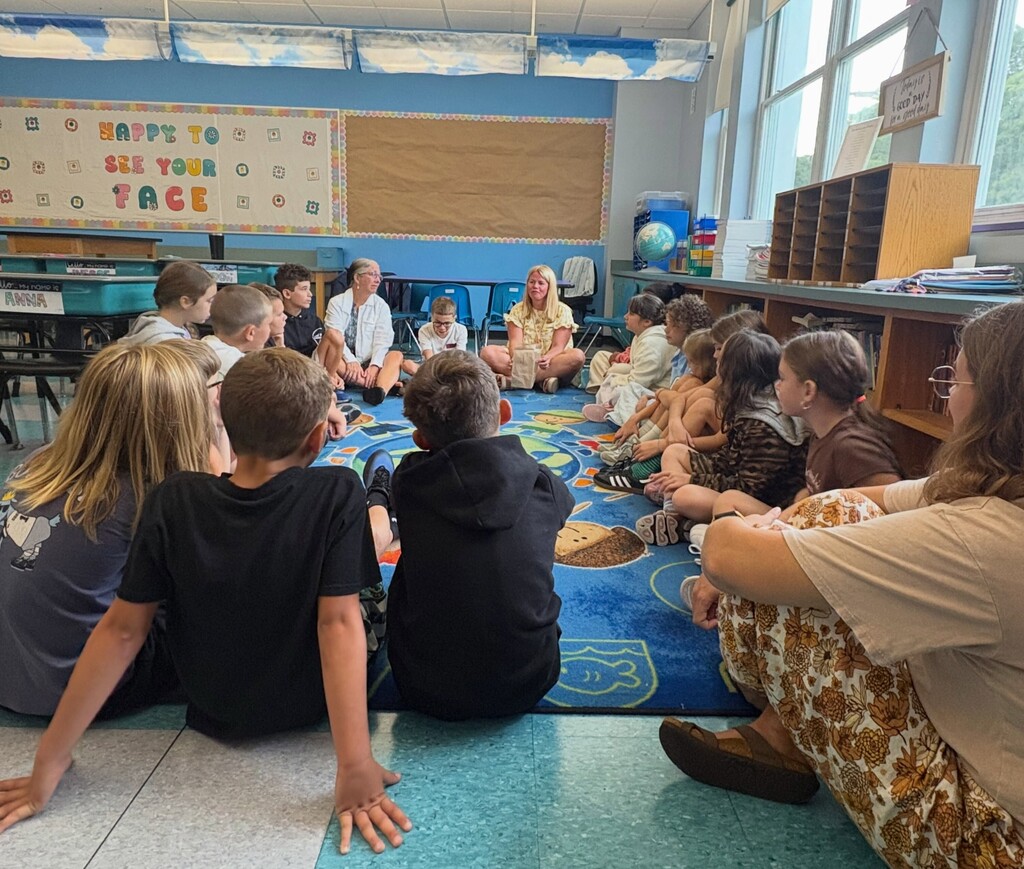
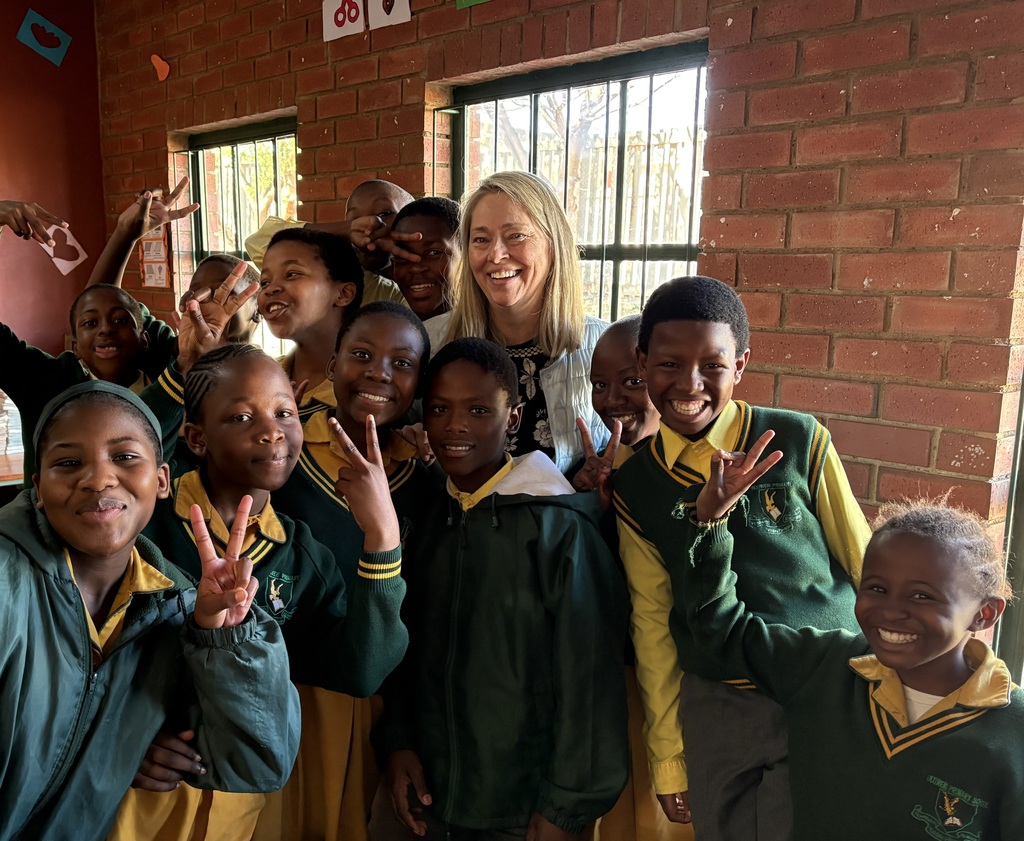
Last school year, Nauset Regional Middle School's Mrs. Remillard participated in The NEA Foundation's Global Learning Fellowship, studying the UN Sustainable Development Goals and concepts of global citizenship. Over the summer, she traveled to South Africa with her Global Learning Fellowship colleagues to learn from scholars and teachers from around the world. 💭✈
Mrs. Remillard returned to Cape Cod reinvigorated and excited to teach NRMS students about sustainability, equity, and the shared human responsibilities of stewarding and protecting the planet. 🌳
Last school year, Nauset Regional Middle School's Mrs. Remillard participated in The NEA Foundation's Global Learning Fellowship, studying the UN Sustainable Development Goals and concepts of global citizenship. Over the summer, she traveled to South Africa with her Global Learning Fellowship colleagues to learn from scholars and teachers from around the world. 💭✈
Mrs. Remillard returned to Cape Cod reinvigorated and excited to teach NRMS students about sustainability, equity, and the shared human responsibilities of stewarding and protecting the planet. 🌳
The NRMS Newsletter for 9.25.26 is now available. https://app.smore.com/n/yv2fr School Photos are next week.
The NRMS Newsletter for September 18 is now available: https://app.smore.com/n/jwv46 Please attend Open House 9/24 at 5pm
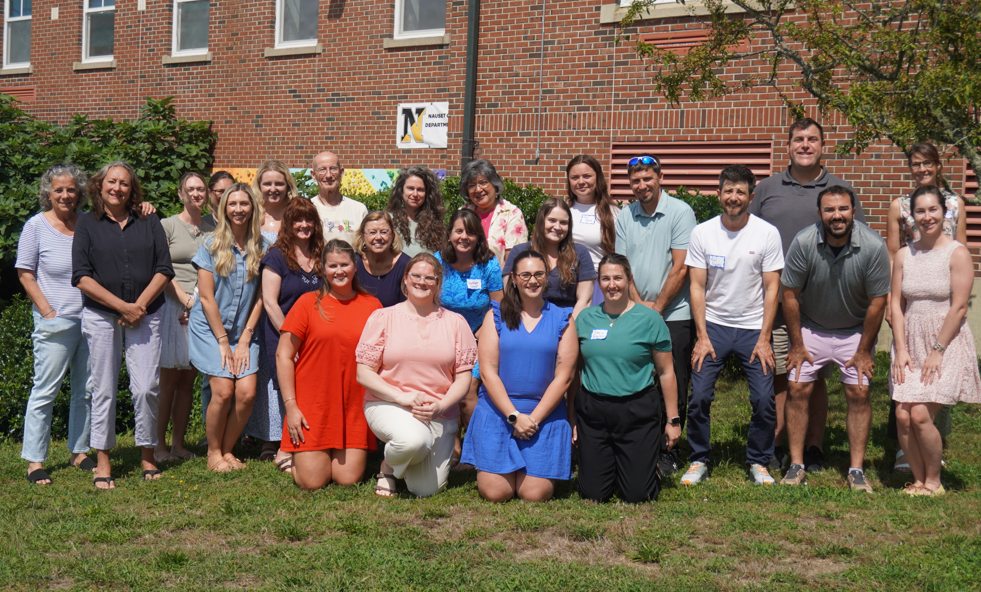
🏫👩🏫💛NEW STAFF ORIENTATION FLASHBACK FRIDAY:
It's #FlashbackFriday and we're going back to the first event of our new school year: New Staff Orientation!
In late August, just before Opening Day, we welcomed all of Nauset's new educators and the educator-mentor members of our Mentor and Induction Program to Nauset Regional Middle School for New Staff Orientation. Over two days, our new staff and mentors learned from one another prepared for a strong start to the school year.
It's going to be a great year at Nauset! ⚓🍏
It's #FlashbackFriday and we're going back to the first event of our new school year: New Staff Orientation!
In late August, just before Opening Day, we welcomed all of Nauset's new educators and the educator-mentor members of our Mentor and Induction Program to Nauset Regional Middle School for New Staff Orientation. Over two days, our new staff and mentors learned from one another prepared for a strong start to the school year.
It's going to be a great year at Nauset! ⚓🍏
NRMS Reminders: Movie Night, Online Registration, and the Open House
MOVIE NIGHT
We hope your student can join us for Friday Night’s Movie in the Courtyard! If so, please fill out the permission form linked below.
When: Friday, September 18th, 6:00 pm to 8:00 pm
Where: NRMS - Courtyard (drop off/pick up at Parent Drop Off Area)
Fee: A suggested $5.00 donation (includes a small bag of popcorn)
> > > Movie Permission Form
ATTENTION: ALL PARENTS/GUARDIANS
All Students must be re-registered for this school year!
If you haven’t already completed the Re-Registration in Aspen, please do so.
> > > Re-Registration Information & Link
NRMS OPEN HOUSE
for Parent/Guardians
Thursday, Sept 24th, 5:00 pm - 7:00 pm
Parent meeting for music programs @ 4:30 pm in Rm 107 (near the Auditorium) will take place prior to the Open House.
🎭🎙🎶NATIONAL ARTS IN EDUCATION WEEK:
This week is National Arts in Education Week, which celebrates the transformative power of creative, visual, and performing arts in education!
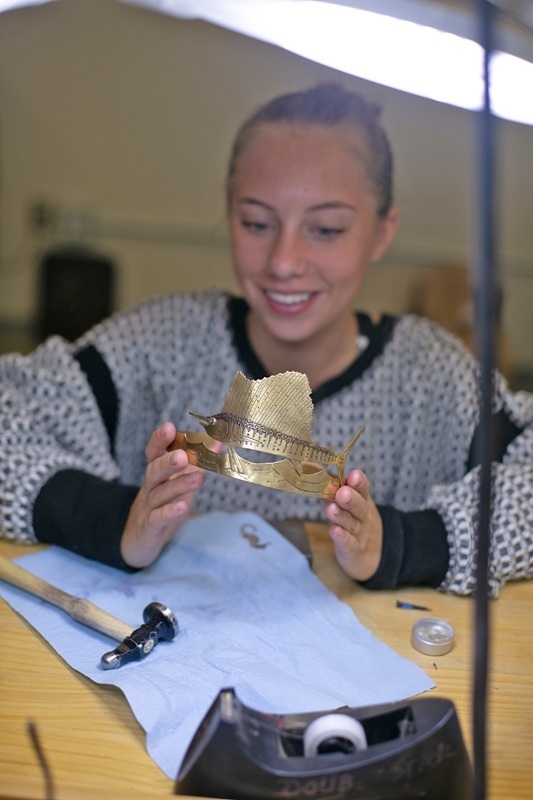
All Nauset Public Schools students have the opportunity to create, thrive, and explore their passions through the arts. From art classes to band, chorus, theater, and dance to pottery and jewelry-making and so much more, our NPS students are engaged in the arts at every level of their education!
Recently, the metals and jewelry program at Nauset Regional High School was featured in both the September issue of the Manufacturing Jewelers & Suppliers of America's MJSA Journal and in The Provincetown Independent.
Read the MJSA article: https://view.publitas.com/mjsa/mjsa-journal_september-issue_427092026/page/34-35
Read the Provincetown Independent article: https://provincetownindependent.org/news/learning/2026/06/10/the-jewelry-makers-of-nauset-high-school/
Photos by Agata Storer at The Provincetown Independent.
This week is National Arts in Education Week, which celebrates the transformative power of creative, visual, and performing arts in education!
All Nauset Public Schools students have the opportunity to create, thrive, and explore their passions through the arts. From art classes to band, chorus, theater, and dance to pottery and jewelry-making and so much more, our NPS students are engaged in the arts at every level of their education!
Recently, the metals and jewelry program at Nauset Regional High School was featured in both the September issue of the Manufacturing Jewelers & Suppliers of America's MJSA Journal and in The Provincetown Independent.
Read the MJSA article: https://view.publitas.com/mjsa/mjsa-journal_september-issue_427092026/page/34-35
Read the Provincetown Independent article: https://provincetownindependent.org/news/learning/2026/06/10/the-jewelry-makers-of-nauset-high-school/
Photos by Agata Storer at The Provincetown Independent.
🚒🚓NRMS REMEMBERS 9/11:
Nauset Regional Middle School students, staff, and community members gathered outside with members of the Orleans Police Department and Orleans Fire Department at 8:46 this morning in solemn remembrance of the 25th anniversary of September 11, 2001.
In his remarks about the anniversary, Dr. Cohen shared ways students can carry forward the values of courage and compassion that emerged after 9/11. NRMS students helped lower the flag to half mast and student musician, Noah, played "Taps" on his trumpet following a moment of silence.
Nauset Regional Middle School students, staff, and community members gathered outside with members of the Orleans Police Department and Orleans Fire Department at 8:46 this morning in solemn remembrance of the 25th anniversary of September 11, 2001.
In his remarks about the anniversary, Dr. Cohen shared ways students can carry forward the values of courage and compassion that emerged after 9/11. NRMS students helped lower the flag to half mast and student musician, Noah, played "Taps" on his trumpet following a moment of silence.

🤩📒🌞CONVOCATION THROW BACK:
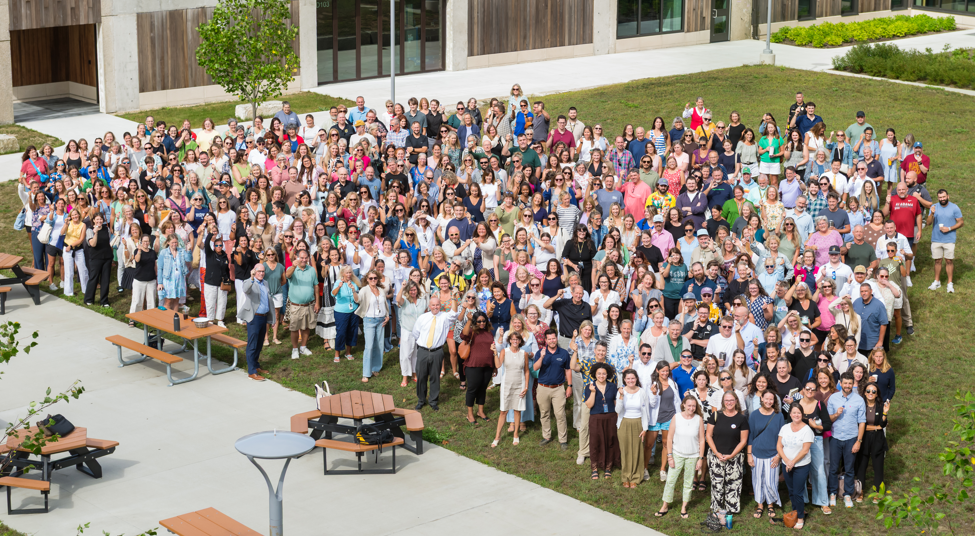
Last week, Nauset staff kicked off the start of the 2026-2027 school year with Convocation at Nauset Regional High School!
Superintendent Dr. Glenn Brand welcomed everyone back with an exciting vision for the year ahead. Gian Paul Gonzalez, educator and founder of the Hope + Future Foundation, delivered an inspiring keynote motivating NPS staff to be ALL IN for our students, schools, and one another.
Special thank you to our student musicians from Eddy Elementary School, Nauset Regional Middle School, and Nauset Regional High School who provided the morning's musical accompaniment!
Some photos by David Betts/Metropolitan Photography.
Last week, Nauset staff kicked off the start of the 2026-2027 school year with Convocation at Nauset Regional High School!
Superintendent Dr. Glenn Brand welcomed everyone back with an exciting vision for the year ahead. Gian Paul Gonzalez, educator and founder of the Hope + Future Foundation, delivered an inspiring keynote motivating NPS staff to be ALL IN for our students, schools, and one another.
Special thank you to our student musicians from Eddy Elementary School, Nauset Regional Middle School, and Nauset Regional High School who provided the morning's musical accompaniment!
Some photos by David Betts/Metropolitan Photography.

💯🌟🎒 NAUSET PUBLIC SCHOOLS IS ALL IN:
Our NPS staff members began the school year by committing to being ALL IN for our students, our schools, and each other. Thanks for the inspiration, Gian Paul Gonzalez!
Our NPS staff members began the school year by committing to being ALL IN for our students, our schools, and each other. Thanks for the inspiration, Gian Paul Gonzalez!